
Free Printable Daily Project Checklist
A Simple Way to See What Needs to Happen This Week
I originally made this little checklist for myself because I wanted one simple place to see the projects and jobs I need to work on each day of the week.
Looking for Something Specific?
Daily Projects Downloads How to Use It Combined Version Goodnotes TipsI Needed Something SIMPLE
I love a good planner. I love lists. I love planning things. Unfortunately, sometimes I can spend so much time planning how I’m going to get everything done that I don’t actually get enough of the things done. 😂
I wanted something I could keep right beside my regular planner with just the little projects and jobs that need to happen on certain days.
No complicated system. No seventeen-step planning process. Just Monday through Sunday, a few check-off spots, and GO.
Daily Projects… for Your Whole Week
Even though I call this my Daily Projects Checklist, it gives you a spot for every day of the week.
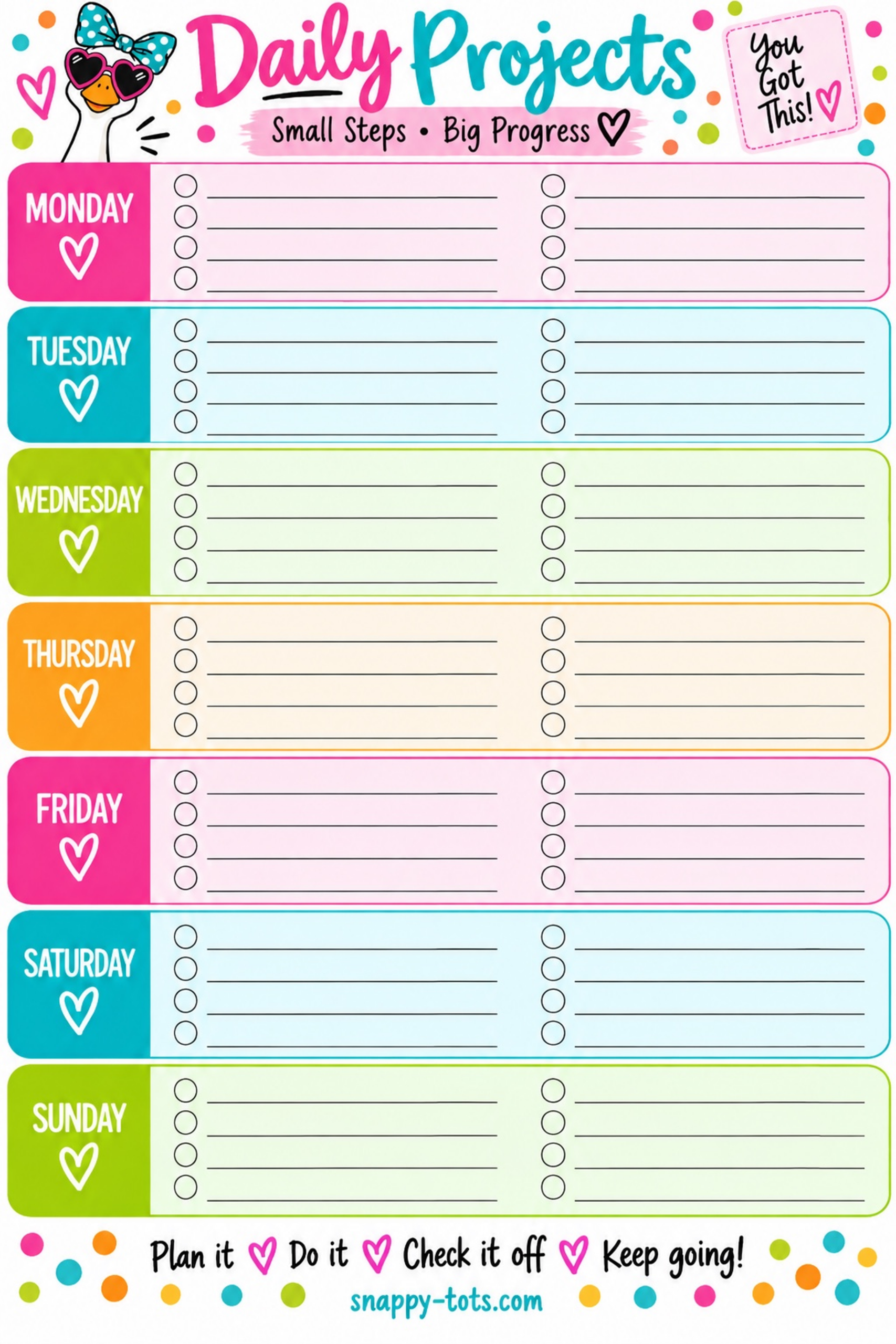
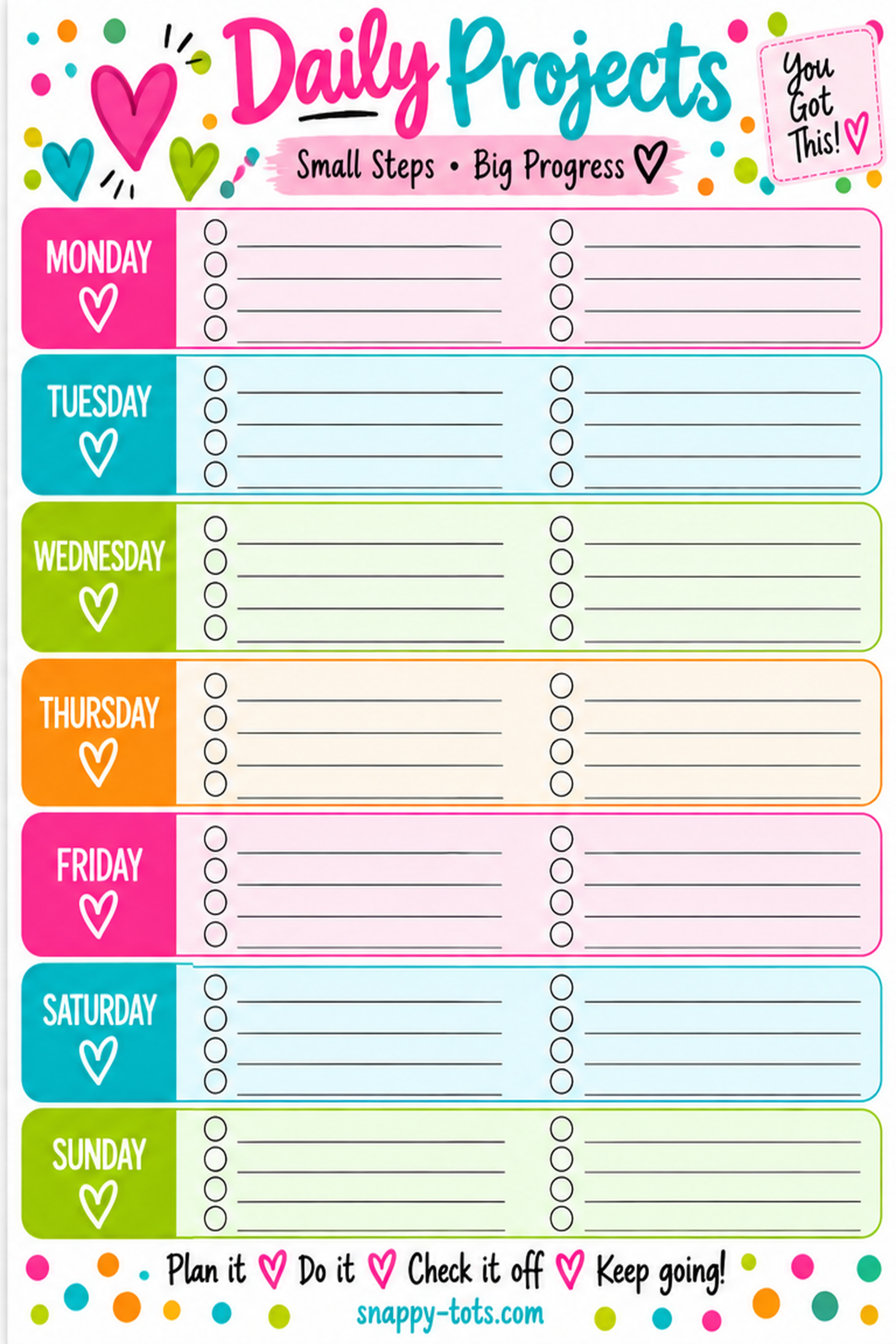
Each day has eight check-off spaces, divided into two columns of four. Fill in as many or as few as you need.
And please don’t feel like eight spaces means you need eight things every day. Those blank lines are there when you need them — not because you have to fill them.
The Things That Need to Happen This Week
I use mine for the repeating little projects that help keep Snappy Tots moving — working on patterns, checking in with testers, preparing newsletter items, pinning projects, posting and all those other little jobs that are really easy for me to forget.
Instead of having them floating around in my head, I can look at one little weekly checklist and see, “Okay. What needs to happen today?” Then I get to check it off, which may be the best part. 😂
How to Use Your Daily Projects Checklist
- Add projects or tasks under each day.
- Use all eight spaces — or only the ones you need.
- Check items off as you finish them.
- Use it for repeating weekly tasks or change your list each week.
- At the end of the week, start fresh and do it again!
Get Your Free Daily Projects Checklist
I made TWO versions because apparently I couldn’t just make one. 😂
Choose the Snappy Goose version or the Classic version, then grab the PDF or PNG.
Not sure which file you need? Choose the PDF. 😊
❤️ A Quick Note About This Freebie
This checklist is a Snappy Tots freebie for personal use. Use it digitally or print it as many times as you’d like for yourself.
Please don’t sell it, repost the files, upload them elsewhere, or share the PDF/PNG files directly. If your friends want one, send them here so they can grab their own free copy. ❤️
🩵 How to Use It in Goodnotes
- Download the PDF version.
- Open it on your iPad and tap Share.
- Choose Open in Goodnotes or Copy to Goodnotes.
- Add it to your planner or notebook.
- Write your projects on the lines and check them off as you go.
🩷 Add It Right Into Your Planner
Already have a digital planner you use every day? You can add this checklist right into it as its own page.
- Save the PNG image to your iPad.
- Open your existing planner in Goodnotes.
- Go to the spot where you want the checklist.
- Tap the + Add Page button in the upper-right corner.
- Choose where you’d like the new page added.
- Choose Image and select your checklist.
Now it becomes an actual planner page instead of a movable image object sitting on top of another page. You can write, highlight and check things off without accidentally moving your background around. 🙌
🖨️ Prefer Paper?
Download the PDF, print your favorite version and fill in your projects for the week.
You can print a fresh one every week or put it in a page protector and use a wet-erase marker so you can wipe it clean and reuse it.
50-Day Tracker + Daily Projects
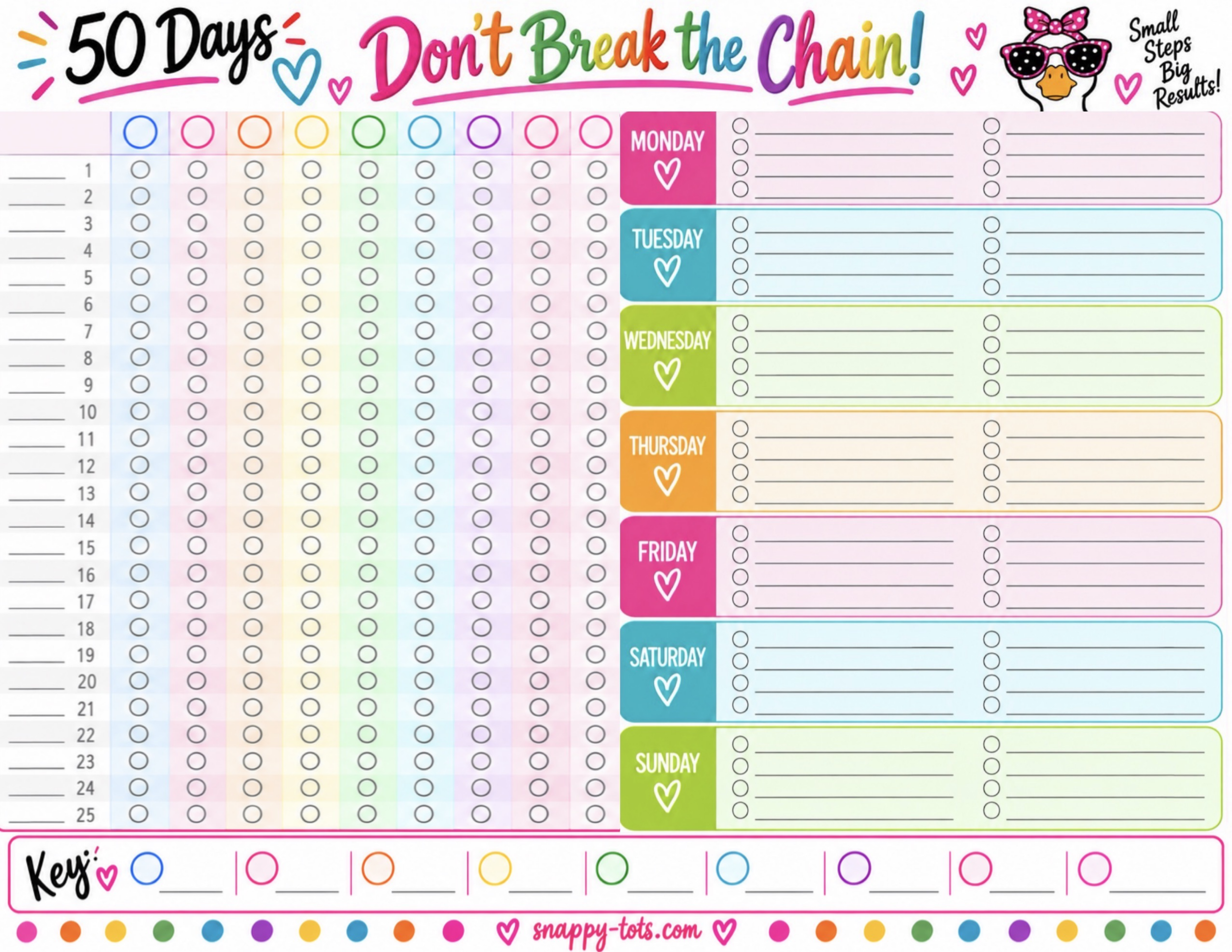
Want to see your 50-day progress AND your weekly projects together on one page? I made a combined version too!
It includes Days 1–25 of the Don’t Break the Chain tracker beside the Monday–Sunday Daily Projects Checklist.
 Download Combined PDF
Download Combined PNG
Download Combined PDF
Download Combined PNG
Want to See What 50 Days Can Do?
Use this weekly checklist to decide what needs to happen today, then use my 50 Days: Don’t Break the Chain Tracker to watch all those little efforts add up.
Get the Free 50-Day TrackerYou don’t need the perfect planner or the perfect week. Sometimes you just need to know what you’re doing next.
Plan it. Do it. Check it off. Keep going!
Which One Did You Pick?
Are you Team Goose 🪿 or Team Classic ❤️?
Leave me a comment below and tell me which one you’re using and what kind of projects are going on your list!