
Free Printable 50-Day Challenge Tracker: Don’t Break the Chain
Free Printable 50-Day Challenge Tracker
Don’t Break the Chain!
I have spent way too much time lately planning what I’m going to do, replanning it, making lists about my lists and then wondering why I’m not getting enough of the actual things done. 😂
So I made myself a simple 50-day tracker to help me focus on the little things I want to consistently DO instead. And of course, I made a blank one for you too!
Looking for Something Specific?
50-Day Downloads How to Use It Combined Version Goodnotes TipsSmall Steps. Big Results.
The idea is really simple: choose a few things you want to work on consistently, do them, and color in the circle for that day. Then try not to break the chain.
You may have heard this called the “Seinfeld Method.” There’s a famous story that Jerry Seinfeld suggested marking an X on a calendar each day you work toward your goal and then trying not to break the chain. Jerry has since said he didn’t actually invent the method, but I still love the idea.
There is something very satisfying about watching all those little marks add up!
The Goal Isn’t Perfection
Miss a circle? Keep going. Have a crazy week? Keep going. This is about making progress and sticking with it, not having 50 perfect days.
Want to Do the 50 Days With Me?
We start Monday, September 21, 2026.
Day 50 is Monday, November 9, 2026.
Turn in your tracker by Sunday, November 15, 2026.
Stick with us through the 50-day challenge and turn in your tracker by November 15 to receive a coupon for one FREE Snappy Tots pattern up to a $4 value OR $4 off your purchase!
Your tracker does not have to be perfect. Missed circles are totally okay. When Day 50 arrives, I’ll share instructions for turning it in.
Finding this later? No problem! The printable itself never expires. Start your own 50-day chain anytime. The dates and reward above are specifically for our Fall 2026 challenge.
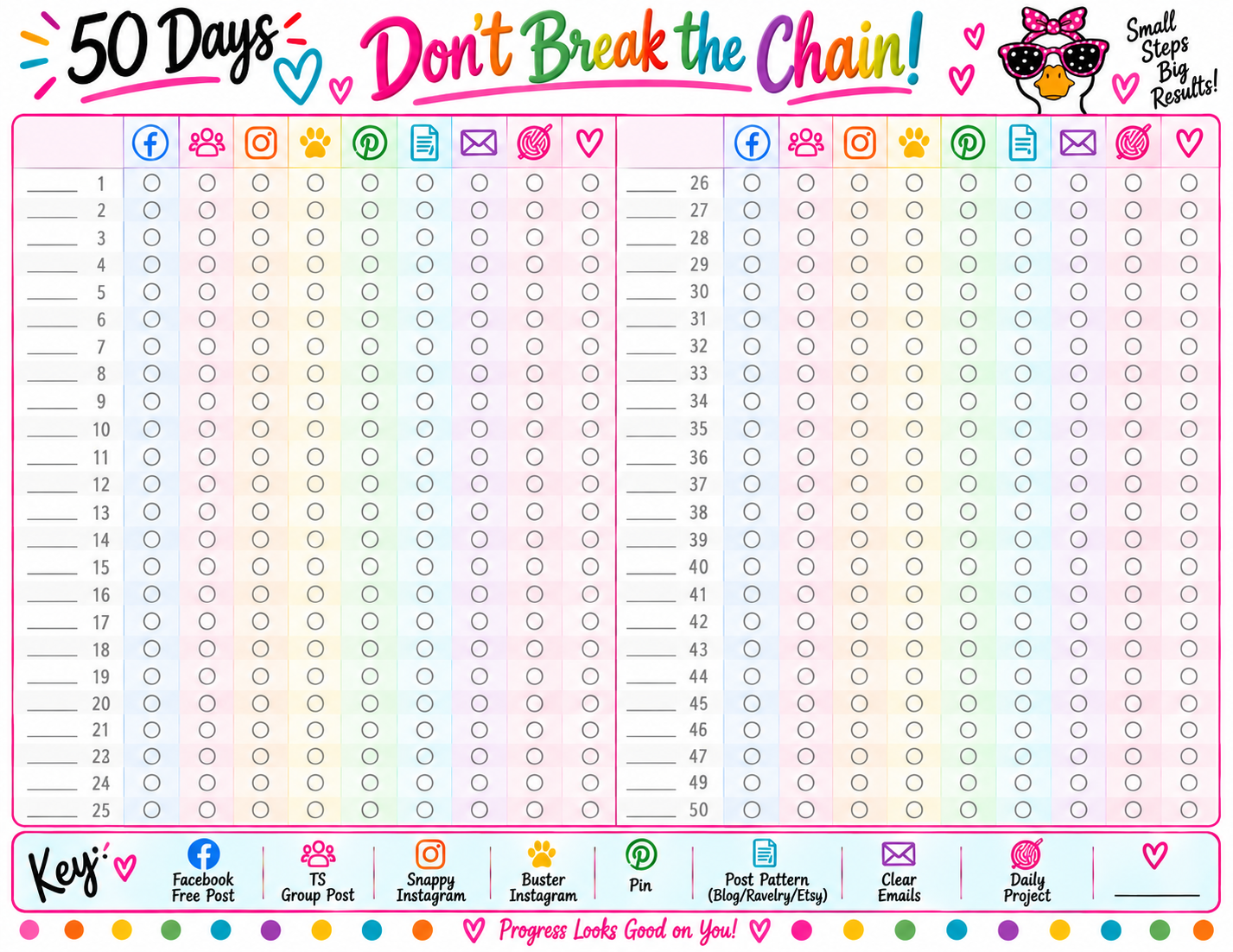
Here’s What Mine Looks Like
I made a Snappy Tots version for myself with the little jobs I want to consistently work on. Yours does not have to look anything like mine — that’s why I made you a totally blank version!
How to Use Your 50-Day Tracker
- Choose what you want to track.
- Write one goal, task or habit at the top of each column.
- Add your dates beside the day numbers.
- Each day you complete an item, color in its circle.
- Keep going for 50 days and watch your chains grow!
What Could You Track?
Anything you want to do more consistently. A few ideas:
Get Your Free Blank 50-Day Tracker
Make it completely your own! Use it for habits, projects, work, home, crochet or whatever you want to keep moving forward.
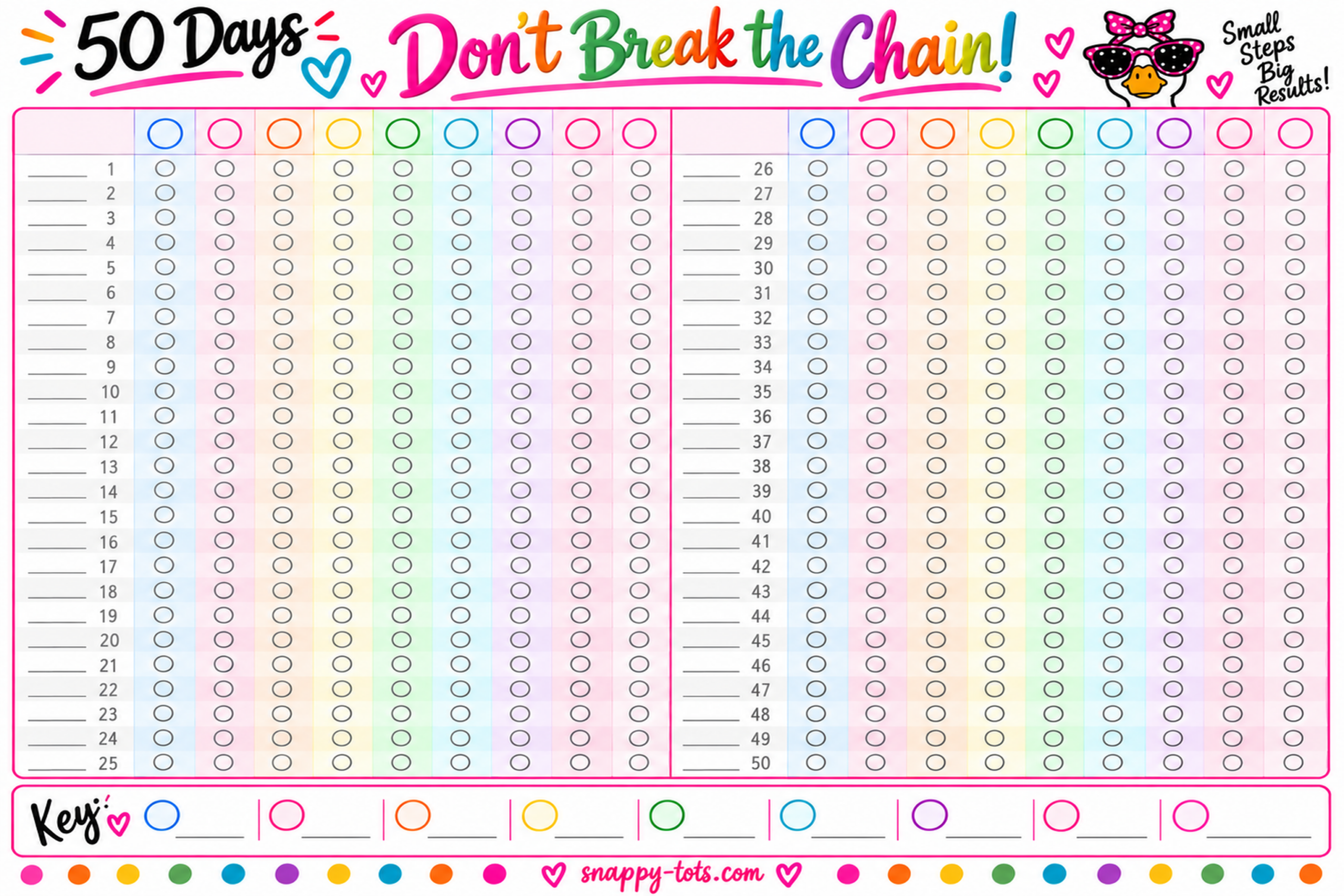
⭐ PDF — Recommended
Best for Goodnotes or printing.
Download PDF Download PNGNot sure which one? Choose the PDF. 😊
❤️ A Quick Note About This Freebie
This tracker is a Snappy Tots freebie for personal use. You’re welcome to print it or use it digitally as many times as you’d like for yourself.
Please don’t sell the tracker, repost the files, upload them to another website or group, or share the PDF/PNG files directly. If your friends love it too, send them here so they can grab their own free copy. ❤️
🩵 Using Your Tracker in Goodnotes
- Download the PDF version to your iPad.
- Open the PDF and tap Share.
- Choose Open in Goodnotes or Copy to Goodnotes.
- Add it to an existing notebook or create a new one.
- Use your Apple Pencil or Goodnotes tools to add categories, dates and color your circles.
🩷 Add It Right Into Your Planner
Already have a digital planner you love? You can add your tracker right into that planner instead of keeping it as a separate document.
- Save the PNG image to your iPad.
- Open your existing planner in Goodnotes.
- Go to the spot where you want the tracker.
- Tap the + Add Page button in the upper-right corner.
- Choose where you’d like the new page added.
- Choose Image and select your downloaded tracker.
This makes the tracker an actual planner page instead of a movable image sitting on top of another page. Now you can write and color on it without accidentally moving the background or having it pop in front of your markings. 🙌
🖨️ Prefer Paper?
Download the PDF and print it in landscape. Keep it somewhere you’ll see it every day and color your circles with markers, colored pencils or whatever makes you happy.
You can also slip it into a page protector and use a wet-erase marker if you want a reusable version.
50-Day Tracker + Daily Projects
Want to see your 50-day progress AND your weekly projects together on one page? I made a combined version too!
It puts Days 1–25 of the Don’t Break the Chain tracker on the left and your Monday–Sunday Daily Projects Checklist on the right.
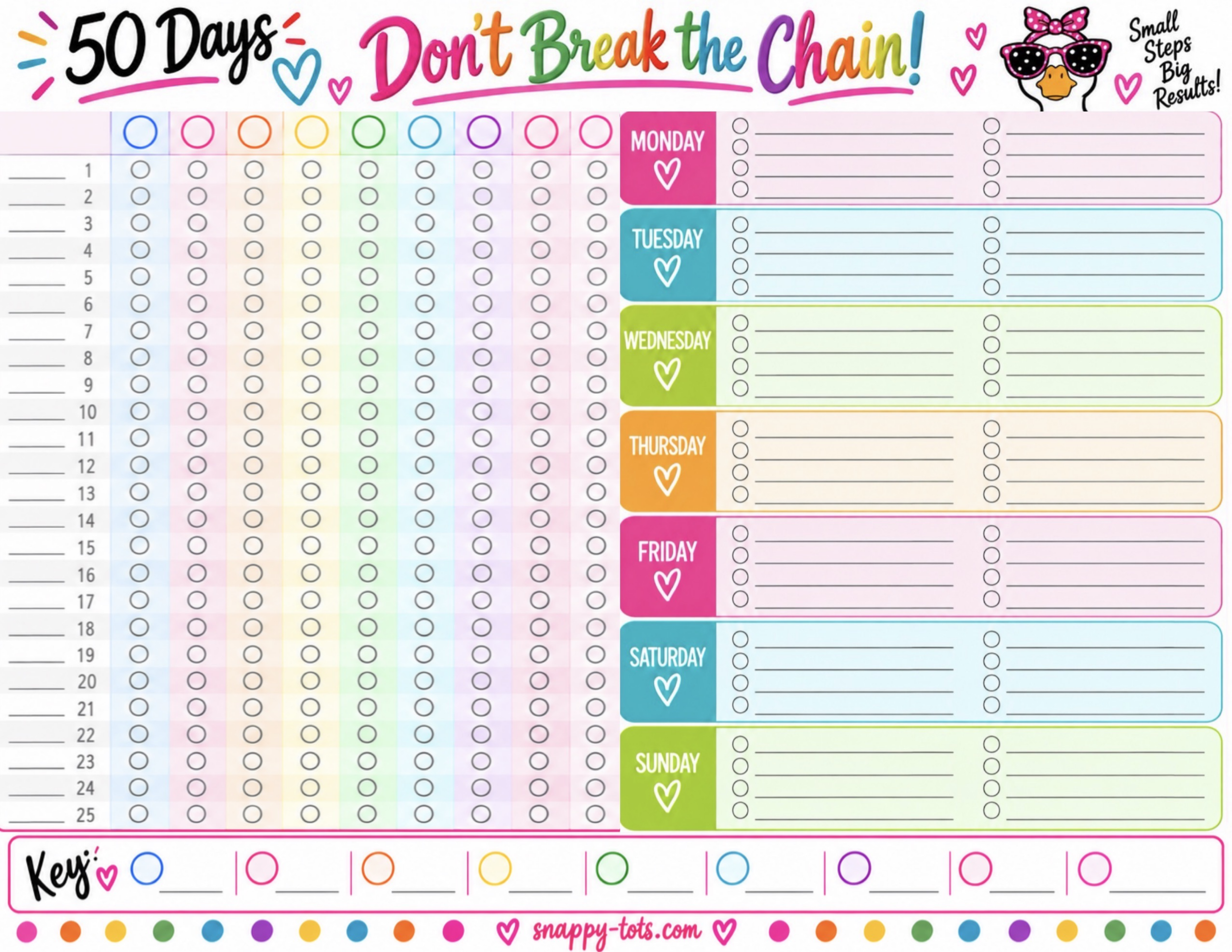 Download Combined PDF
Download Combined PNG
Download Combined PDF
Download Combined PNG
Need Help Planning Your Week Too?
I also made a blank Daily Projects Weekly Checklist with Monday through Sunday sections and eight check-off spaces for each day.
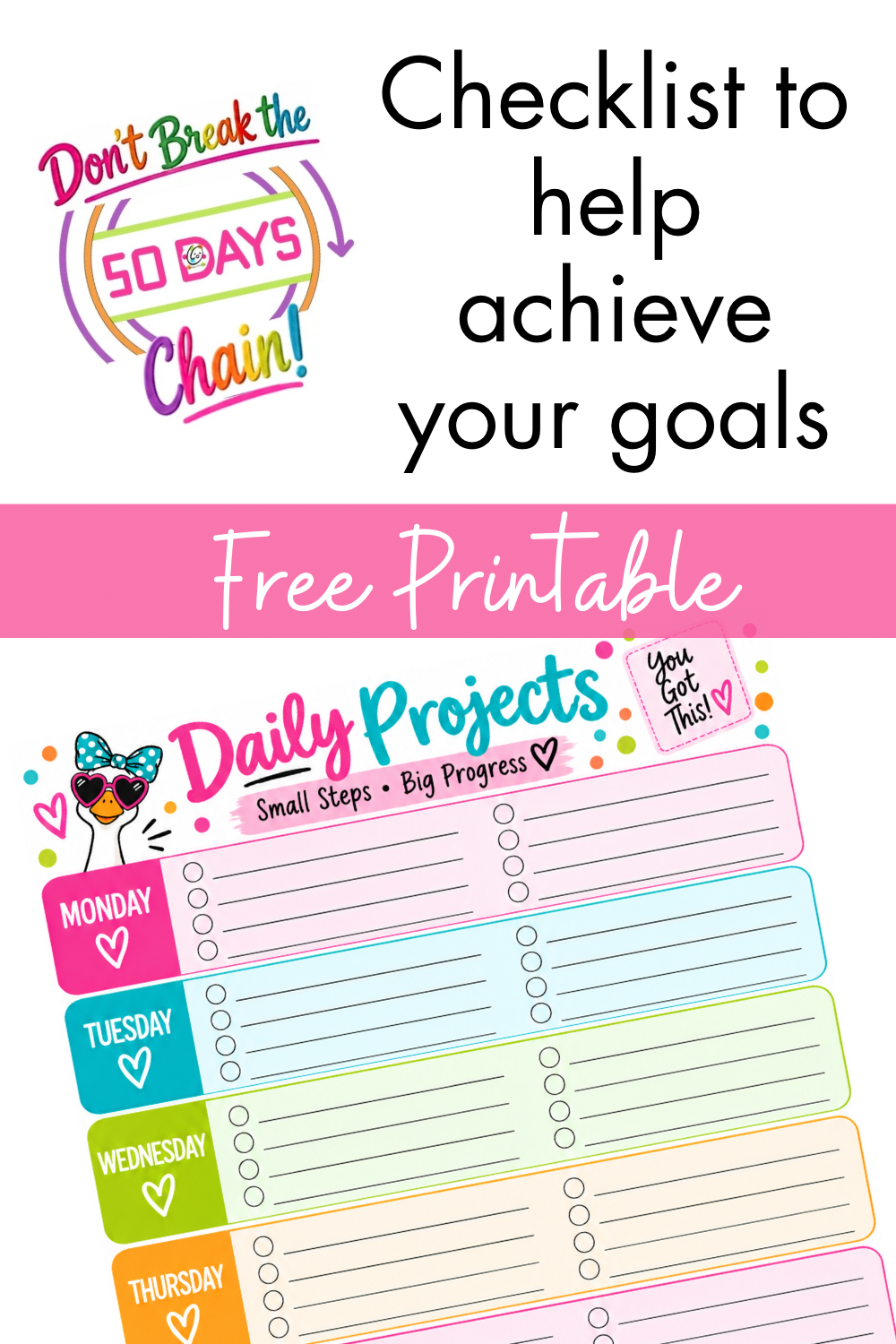 Get the Free Daily Projects Checklist
Doing the 50 Days With Me?
I want to know what YOU are working on! Leave a comment below and tell me one thing you’re putting on your 50-day tracker.
Maybe we’ll give each other some great ideas too! And if you share your tracker in the Totally Snappy Tots Facebook group, I’d love to see it. ❤️

50-Day Tracker + Daily Projects
Want to see your 50-day progress AND your weekly projects together on one page? I made a combined version too!
This version puts Days 1–25 of the Don’t Break the Chain tracker on the left and your Monday–Sunday Daily Projects Checklist on the right. It’s a great way to see what you’re working toward AND what needs to happen this week.
Download the Combined Version
The PDF is best for Goodnotes or printing. Choose the PNG if you’d rather save it as an image.
Download PDF Download PNGThis combined sheet includes Days 1–25 of the 50-Day Tracker. Keep your full 50-Day Tracker too so you’re ready to keep going with Days 26–50!
🩷 HEIDI’S GOODNOTES TIP
Already have a digital planner you love? You don’t have to keep this tracker as a separate Goodnotes document. You can add it right into the planner you’re already using!
- Save the PNG image to your iPad.
- Open your existing planner in Goodnotes.
- Go to the spot where you’d like your tracker.
- Tap the + Add Page button in the upper-right corner.
- Choose whether you want the new page Before, After or Last Page.
- Choose Image and select the tracker you saved.
This adds the tracker as an actual page in your planner instead of placing it as a movable image on top of another page. Then you can write, highlight and color your circles without worrying about accidentally selecting the tracker, moving it around or having it pop in front of your markings. 🙌